What size is a K-pop photocard?
Start with a 55 × 85 mm finished card, then get the matching bleed, pixel, sleeve, and print measurements.
Quick answer
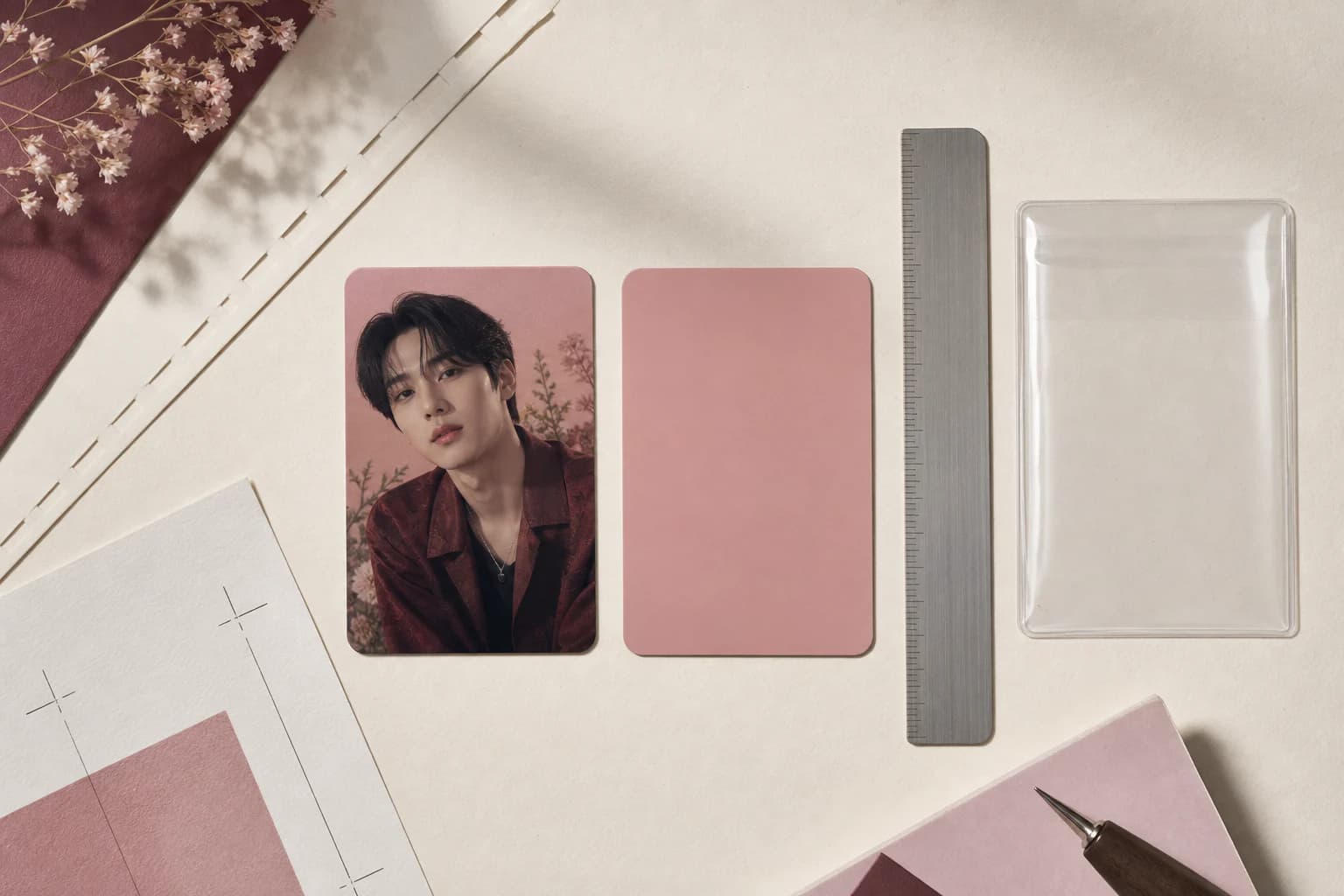
The usual finished size for a K-pop photocard is 55 × 85 mm, or about 2.17 × 3.35 inches. Photocard.ai adds 3 mm of bleed on each edge, making the print canvas 61 × 91 mm. The native master is 2747 × 4096 pixels, and the trimmed file is 2477 × 3826 pixels.
Finished card
55 × 85 mm
The size after the bleed is trimmed away.
Full bleed
61 × 91 mm
Includes 3 mm on each edge for trimming.
Native master
2747 × 4096 px
The private full-bleed 4K PNG.
Trimmed export
2477 × 3826 px
The clean 55 × 85 mm card file.
On this page +
- 01Start with the 55 × 85 mm finished size
- 02Photocard size conversion table
- 03Trim, bleed, and safe-area diagram
- 04Use bleed for backgrounds and a safe area for important details
- 05Check the file before you print
- 06Choose sleeves and toploaders from internal dimensions
- 07Common mistake: printing the PNG to fill the page
Start with the 55 × 85 mm finished size
Official photocards are not all the same size. If you are making your own, 55 × 85 mm is a sensible default and has the familiar narrow portrait shape. More importantly, it gives you one measurement to carry from the design file through to the finished print.
That works out to roughly 2.17 × 3.35 inches. Do not round it down to a generic 2 × 3 inch card. Those few missing millimeters can change the crop, make a border look uneven, or leave the card loose in its sleeve.
The 55 × 85 mm measurement is the card after cutting. A print shop may ask for a larger file because it needs bleed around the edge. That extra artwork gets trimmed away.
- Measure the finished card, not the paper around it.
- Confirm the exact pocket size of a binder page before producing a large batch.
- Use one size throughout the design, export, PDF, and trimming workflow.
Photocard size conversion table
Use millimeters or inches when setting up the print. The pixel values below match Photocard.ai exports.
| File or area | Millimeters | Inches | Pixels |
|---|---|---|---|
| Finished trim | 55 × 85 mm | 2.17 × 3.35 in | 2477 × 3826 px |
| Full bleed | 61 × 91 mm | 2.40 × 3.58 in | 2747 × 4096 px |
| Bleed on each edge | 3 mm | 0.12 in | 135 px in this master |
The pixel values describe Photocard.ai's native output contract. Other design tools may use different pixel counts at the same physical size, depending on their document resolution.
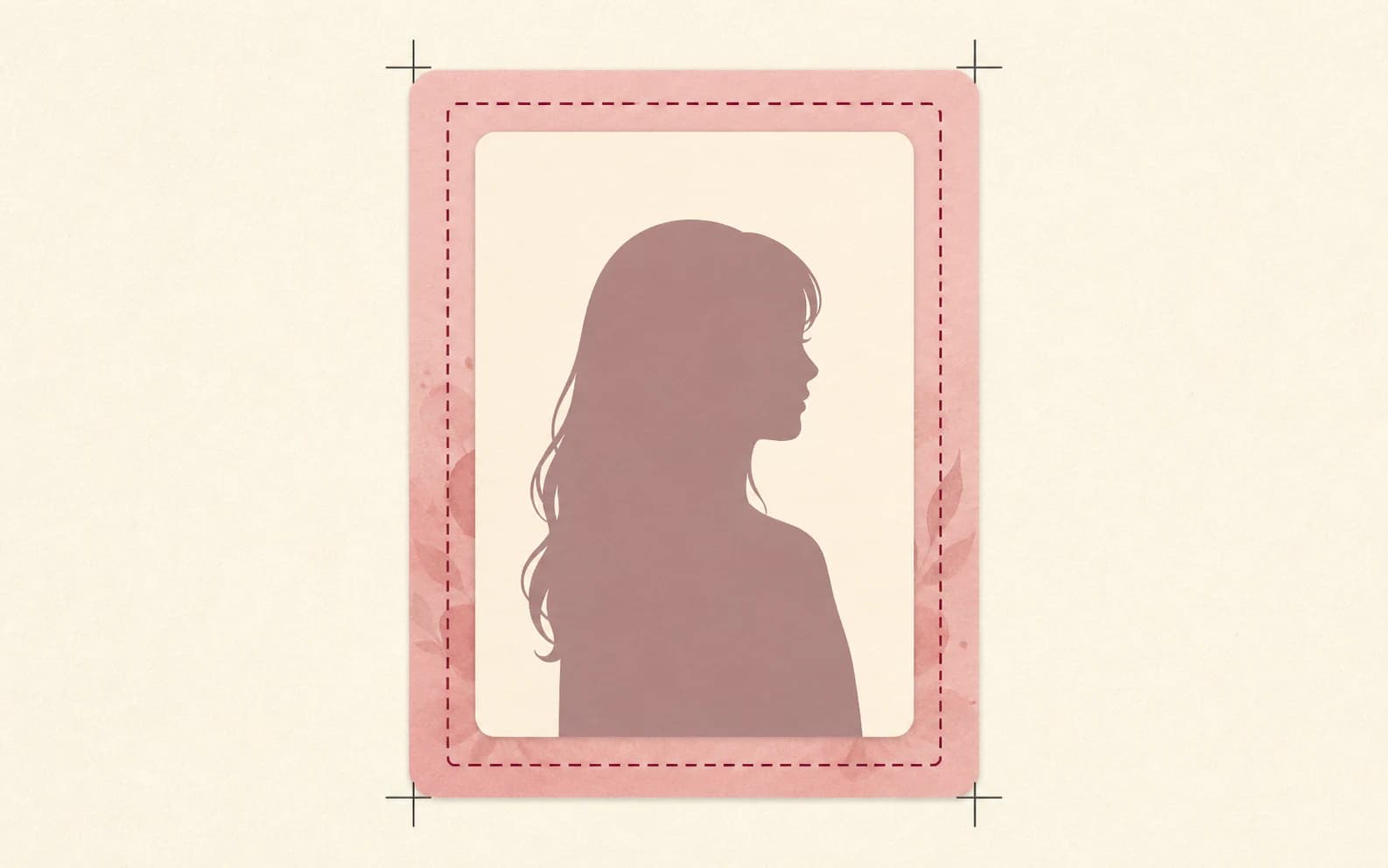
Trim, bleed, and safe-area diagram
Use bleed for backgrounds and a safe area for important details
A cutter rarely lands on exactly the same line every time. Bleed prevents that tiny shift from leaving a white sliver at the edge. Run the background and any expendable decoration all the way out to the 61 × 91 mm boundary. Expect the outer 3 mm on each side to disappear.
Keep the face, names, authorized logos, and important border details inside the trim line. Give them a little more room if you can. Thin borders make even a small cutting shift obvious, so print one before committing to a batch.
Set up the full-bleed canvas before you design the card. Stretching a finished 55 × 85 mm layout afterward can distort the person and throw off the composition.
Check the file before you print
This quick check catches most size and crop mistakes.
- ✓The finished card is 55 × 85 mm and the print artwork is 61 × 91 mm.
- ✓Background color reaches every edge of the bleed canvas.
- ✓The face, text, and critical decorations sit safely inside the trim line.
- ✓The printer dialog is set to 100% or Actual Size, not Fit to Page.
- ✓One measured proof fits the exact sleeve or binder pocket you plan to use.
Choose sleeves and toploaders from internal dimensions
Sleeve packaging sometimes puts the outside dimensions in the biggest type. Check the usable pocket instead. It should be a little larger than 55 × 85 mm, with enough thickness for the paper, laminate, or second sleeve you plan to use.
Too much room lets the card slide. Too little can catch a corner or bow a heavy card. Try one finished card before ordering a large pack, especially if you are using thick stock or laminate.
Toploaders are stiffer and roomier than inner sleeves. Keep the card at its intended size and use an inner sleeve or insert if it moves around.
Questions people ask
Frequently asked questions
What is the standard K-pop photocard size?
A widely used finished size is 55 × 85 mm, or about 2.17 × 3.35 inches. Official cards vary, so measure the original when you need an exact match.
What size should a photocard file be in pixels?
Photocard.ai creates a 2747 × 4096 pixel full-bleed master and a 2477 × 3826 pixel trimmed file. Other tools may use different pixel counts for the same physical size.
How much bleed should I add to a photocard?
This workflow adds 3 mm on every edge, changing a 55 × 85 mm finished card into a 61 × 91 mm full-bleed print file.
Is a K-pop photocard the same size as a trading card?
Not always. Trading cards often use different proportions. Compare the measurements in millimeters before assuming a card will fit the same sleeve.
Should text extend into the bleed area?
No. Bleed is meant for backgrounds and non-essential artwork. Keep text, faces, borders, and other important details safely inside the finished trim area.
On this page +
- 01Start with the 55 × 85 mm finished size
- 02Photocard size conversion table
- 03Trim, bleed, and safe-area diagram
- 04Use bleed for backgrounds and a safe area for important details
- 05Check the file before you print
- 06Choose sleeves and toploaders from internal dimensions
- 07Common mistake: printing the PNG to fill the page