Choose your photo
Upload a saved selfie or a permitted stage screenshot. Sign in before the enhancement starts.
K-pop Photo Enhancer
Restore detail in soft phone photos and fancam frames before you turn them into photocards, fan gifts or wallpapers.
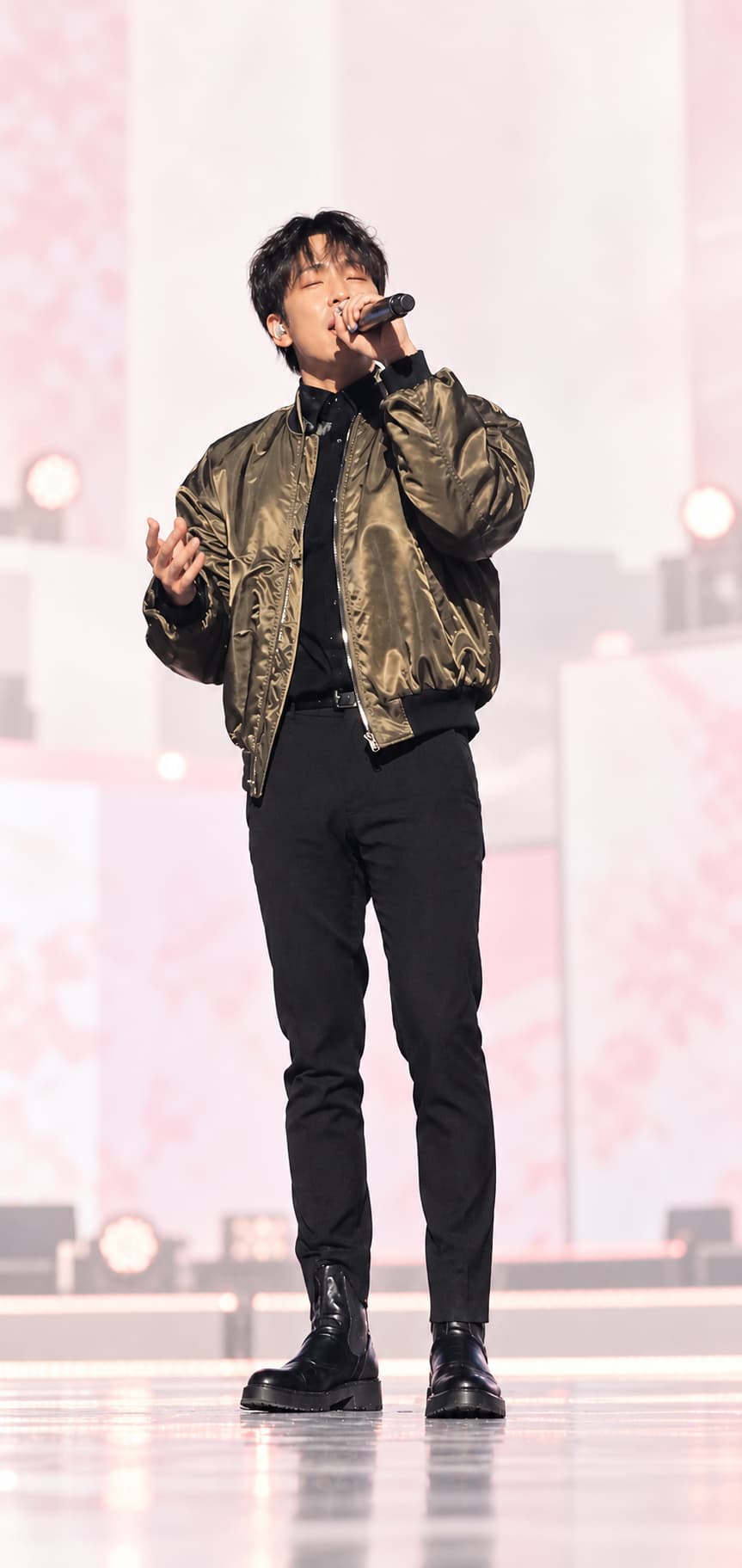
 EnhancedOriginal
Original AI-created demo with a fictional adult performer. It does not depict or imitate a real artist, group or venue.
Enhance yours
Choose a JPG, PNG or WebP up to 12 MB. You will compare the enhanced result with the original before downloading it or bringing it into Maker.
FOR YOUR NEXT FAN PROJECT
Make a saved idol selfie or stage screenshot clearer before using it in a DIY photocard, concert freebie or wallpaper.
Up to 24 megapixels. Large photos use a smaller enlargement to stay within this limit.
1 HD credit per enhancement. Failed enhancements are refunded.
Very blurry photos may still lose detail. Compare the result before using it. Your original stays available.
A simple three-step flow
The tool keeps the flow short: choose the photo, select an enlargement, and inspect the result against the original.
Upload a saved selfie or a permitted stage screenshot. Sign in before the enhancement starts.
Use 2× for everyday cleanup or 4× when you need a larger source for a card or wallpaper.
Drag the divider across important details, then download the JPG or continue in Maker.
Made for fan projects
Enhancement cannot recover every missing detail, but a cleaner source gives your next layout a stronger starting point.
Check the face and hair before bringing your permitted photo into a 55 × 85 mm design.
Prepare a clearer file for personal concert freebies while remembering that paper and printer settings still matter.
Reduce softness and compression in a frame you captured or have permission to use before saving it for your screen.
Quick answers
It enlarges the image, reduces visible compression and noise, and restores clearer edges and texture where possible. It does not turn the photo into a new photocard design or intentionally replace the person in it.
Each 2× or 4× enhancement uses 1 HD credit. A failed enhancement is refunded automatically. Using the finished photo in Maker is a separate action with its own credit requirement.
Choose 2× for routine cleanup and a smaller output. Choose 4× when you need a larger source for cropping, a wallpaper, or a print project. Very large uploads may use a smaller enlargement to stay within the 24-megapixel output limit.
It can make edges, texture and low-light noise look cleaner, but it cannot recover every detail that was never captured. Use the comparison divider to inspect faces, hands and text before downloading the result.
Only upload photos you created or have permission to use. The comparison shown on this page is an original AI-created demo featuring a fictional adult performer and does not depict or imitate a real artist, group or venue.
Simple HD pricing
Both 2× and 4× enhancement use 1 HD credit. Failed enhancements are refunded automatically; creating a photocard in Maker is priced separately.
$99.99 /year
100 HD image generations every month
Billed yearly, with a new HD allowance issued each month.
$2.99 one-time
10 HD image generations, no expiry
A small one-time pack to keep creating in clean HD.
$9.99 /month
100 HD image generations every month
Renews automatically each month. Cancel anytime.
$9.99 one-time
50 HD image generations, no expiry
Buy once and keep the unused HD allowance permanently.